

Monday January 19th 2009, 2:40 pm
Filed under: Old New Media
Filed under: Old New Media
Burning a disc from an image file—an exact copy of your CD or DVD saved on your hard drive—is a useful trick to learn. I’ve provided Mac OS X and Windows examples below.
OS X example: Disc Utility
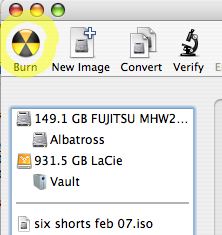
Step 1. Click the Burn button.
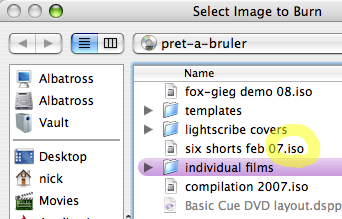
Step 2. Choose a disk image. (The standard file extension for disk images is .iso.)
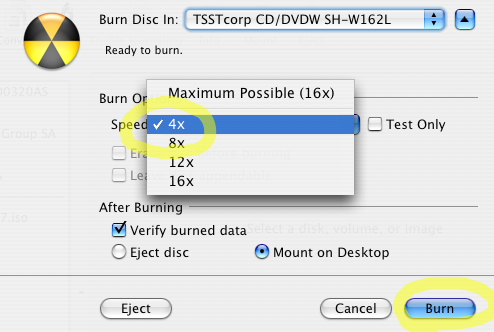
Step 3. Choose a speed and click Burn. Lower is better for audio and video; I never burn a video DVD at over 4x speed.
Windows example: EZ CD Creator
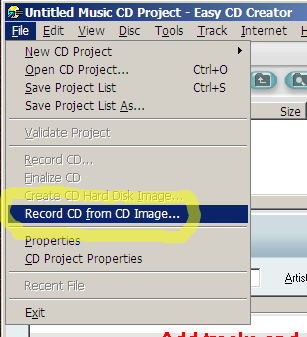
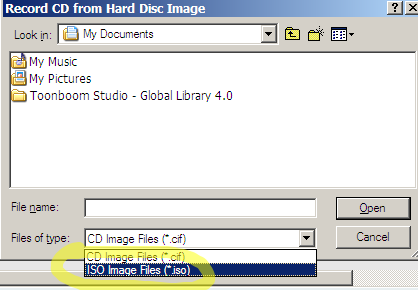
Step 1. Go to the File menu and choose Record CD from CD image.
Step 2. Pick ISO image files from the drop-down menu, and choose an image file.
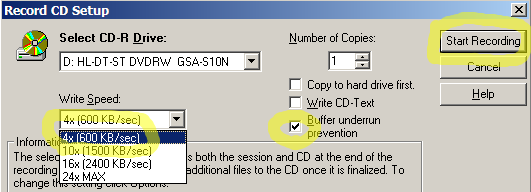
Step 3. Choose a recording speed, enable Buffer Underrun Prevention, and click Start Recording.
Comments Off on Burn a Disc Image